
King of Games and Dex
is a leading technological company in the industries of Finance, Crypto and Decentralized and Centralized Exchange
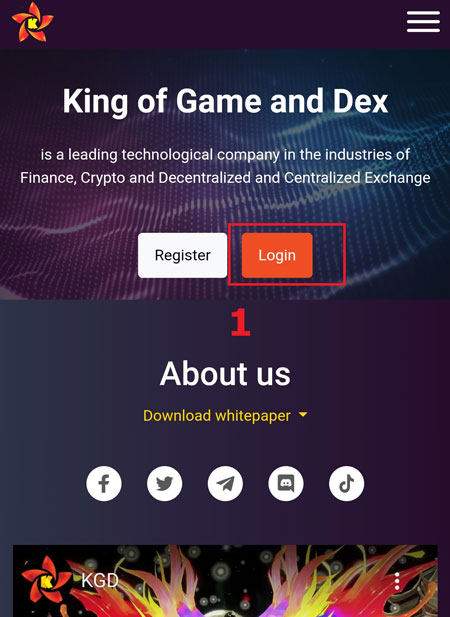
Step 1: Click on the "Login" icon on the homepage of the website, fill out the information completely.
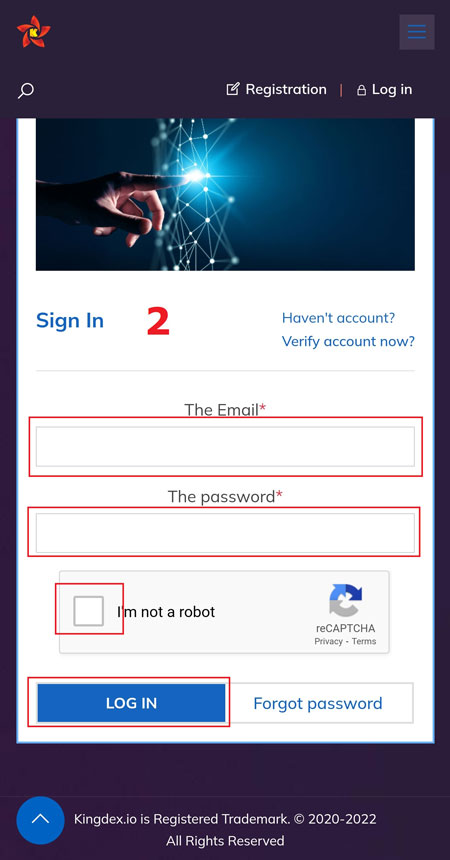
Step 2: After filling out the information in the login boxes with registered Email and Password correctly, click into the confirmation boxes and the "Login" button to complete the stage.
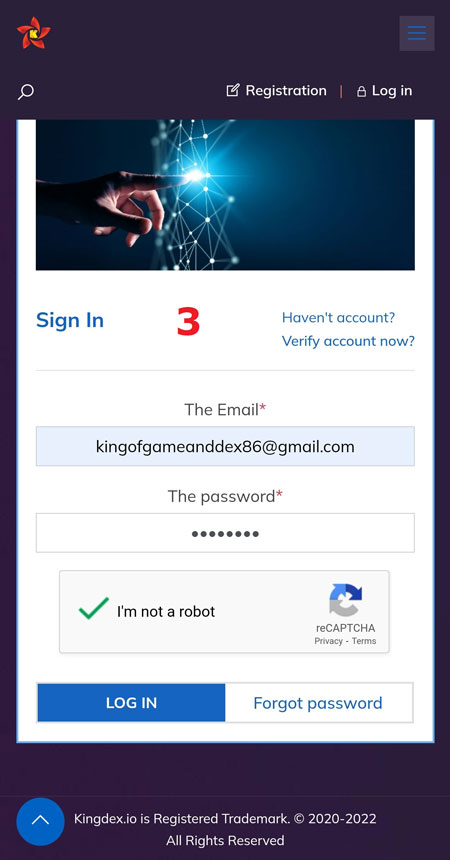
Step 3: Using the 6-digit verification code in the registered email and Google Authentication to fill in the account verification box.
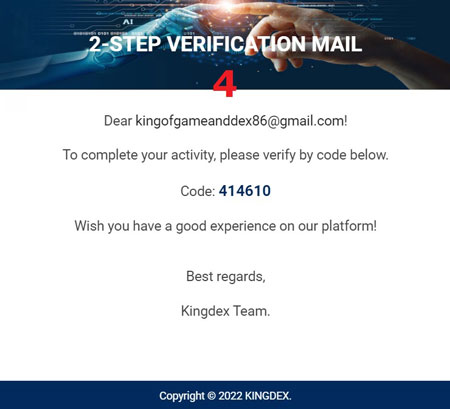
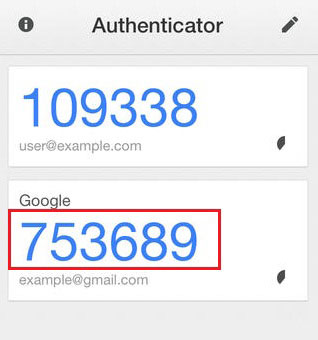
Each email verification code is only valid for 30 minutes, outside of this time, you need to send the confirmation code again. Each Google Authentication verification code is only valid for one minute, it needs to be used within the specified time period.
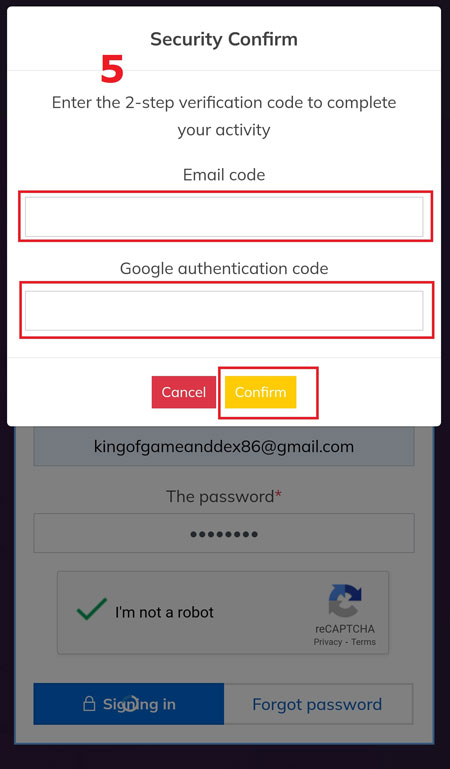
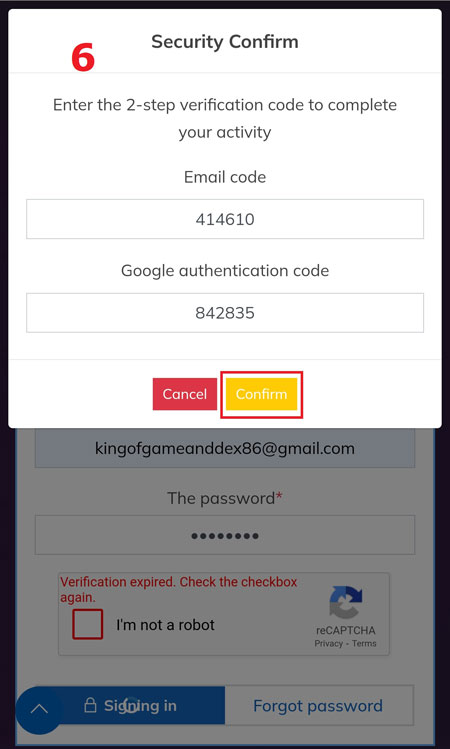
Press "Confirm" button to complete, you can use full functions of Wallets. Each login has been valid for 7 days, after which it will automatically log out. However, we recommend that users should log out as soon as they are no longer in use. Avoid software or websites that contain malicious code, which may lose secure login data for users, Absolutely, do not give login email and password to others.
Users should not enter pages or websites containing malicious source code, should not enter the currency management system using a public Wifi network, this may reveal security information when logging in to their account. Users should use a login device only for currency application to ensure the security of their accounts.
Note: Each time you log in, you can only enter the wrong password up to 5 times, after 5 times the wrong password will lock the account, need to contact the Admin via email: [email protected] to unlock, however the unlocking service fee is 5 KGD / time. So really consider when the password is wrong for the 3rd time, use the "Forgot password" function.